License and plans
The panel needs a license for this installation. Licenses are issued at livepanel.uz and are bound to the server’s IP address.
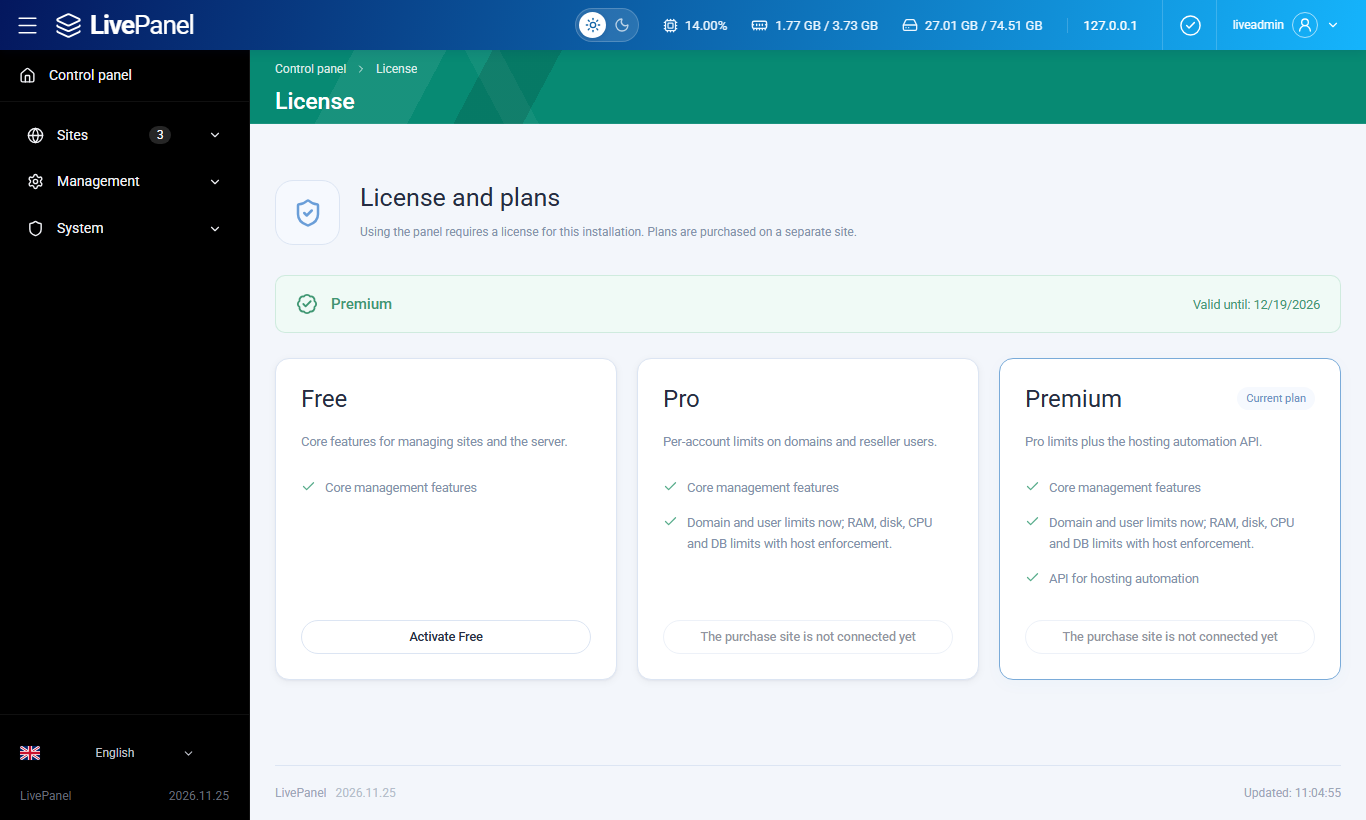
Plans
| Free | Pro | Premium | |
|---|---|---|---|
| Price | Free, no expiry | Monthly | Monthly |
| Sites, databases, mail, SSL, backups, Git and all other core features | ✅ | ✅ | ✅ |
| Per-account limits on domains, disk, RAM, databases and reseller users | — | ✅ | ✅ |
| Hosting automation API (tokens) | — | — | ✅ |
Current prices: livepanel.uz → Pricing.
Activating the Free license
- In the panel open System → License.
- On the Free card click Activate Free.
- A livepanel.uz page opens: sign in (or register) and confirm.
- The license is sent to the panel automatically — refresh the panel page.
Buying Pro or Premium
- On System → License click the card of the plan you need.
- The payment page opens at livepanel.uz with the server address filled in.
- After payment the license is installed in the panel automatically — no key to enter. The panel also picks it up by itself within a few minutes.
You can also see, renew and manage the license in the Keys section of your livepanel.uz account.
When it expires
- Your account shows a warning 5 days before the end.
- When the term ends the panel features stop for a while, but the sites keep working.
- To renew, click Renew on the License page. After payment Check again picks up the new key immediately.
Moving to another server
A license is bound to one IP address. If you move the panel to another server, move the license to it in the Keys section of your livepanel.uz account. If the old server has not been in touch for more than 24 hours, the license moves to the new server by itself.
If the panel says “License is bound to another server”, this is the case: click the move button in your account.