Scheduler (cron)
The scheduler runs commands on a schedule: for example the site’s cron.php every 5 minutes, a daily report or a cache cleanup.
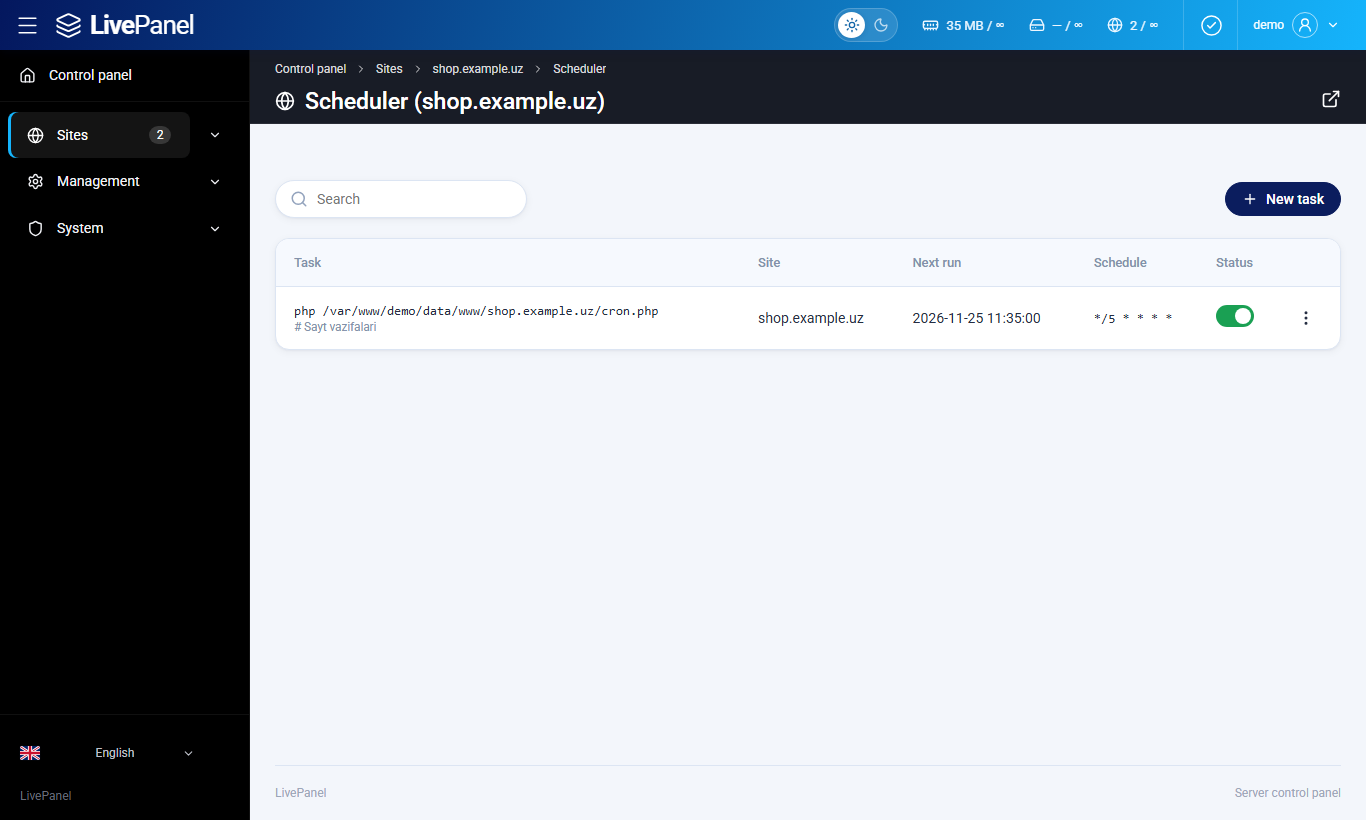
Open the Scheduler tile on the site page. The table shows each task’s command, site, next run, schedule and status.
Adding a task
- Click New task.
- Site — the task runs as this site’s user.
- Schedule — pick a preset: Every minute, Hourly, Daily, Weekly, Monthly or Custom. In Custom you set the minute, hour, day, month and weekday; the resulting cron expression is shown below (e.g.
*/5 * * * *). -
Command — what to run. Use full paths:
php /var/www/shop/data/www/shop.example.uz/cron.phpFor PHP sites use a path such as
/usr/bin/php8.3to pin the site’s PHP version. - Comment — a note on what the task is for.
- Save.
Managing tasks
- The on/off switch pauses a task without deleting it.
- Run now runs the command immediately and shows the result: exit code, run time and the output. Useful for testing.
- Edit and Delete.
Tips
- Laravel:
php /var/www/<user>/data/www/<domain>/artisan schedule:run— every minute. - WordPress: first add
define('DISABLE_WP_CRON', true);towp-config.php, then runphp .../wp-cron.phpevery 5 minutes. - The output of scheduled runs is not kept; to log it, redirect it to a file:
... >> /var/www/<user>/data/cron.log 2>&1.