Python and Node.js sites
Node.js and Python sites work differently from PHP: the application runs as a permanent systemd service under the site user and listens on an internal port, and Nginx passes the domain’s requests to it. The service starts by itself when the server reboots and is restarted if it stops.
Versions
- Node.js — Node.js LTS is installed with the panel. Other versions (16–26) are installed in System → Applications.
- Python — not installed with the panel: install the version you need (3.11, 3.12, 3.13, 3.14, 3.15) in System → Applications. The versions come from the official python-build-standalone builds and do not touch the system Python.
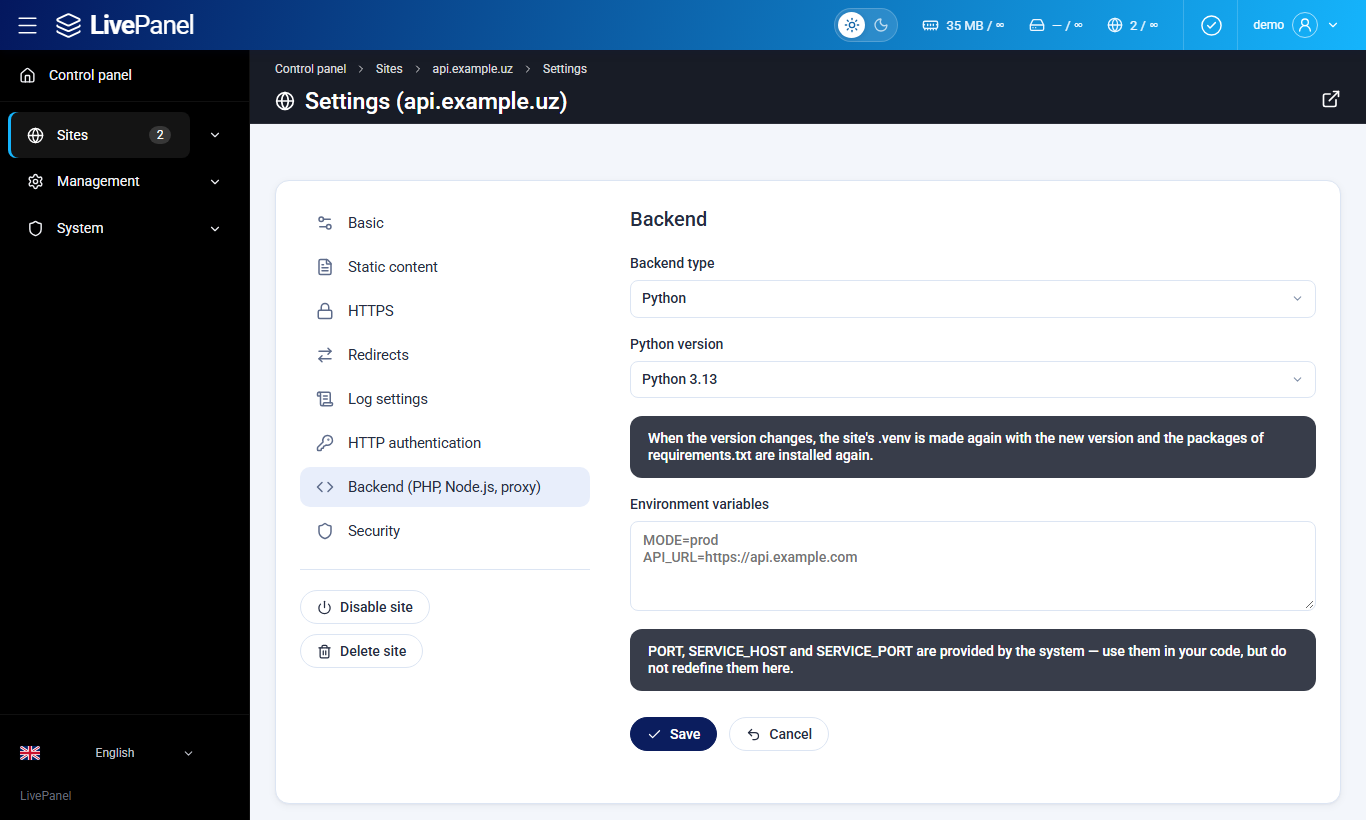
You change a site’s version later in Settings → Backend.
A Node.js site
The site folder holds app.js — the service starts exactly this file with node app.js. Your application:
-
must take the port from
process.env.PORTand listen on127.0.0.1:const express = require("express"); const app = express(); app.get("/", (req, res) => res.send("Hello!")); app.listen(Number(process.env.PORT), "127.0.0.1"); -
if the project lives in another file, load it from
app.js:require("./server.js")orimport("./dist/main.js").
Packages: run npm install in the site folder over SSH or in the Terminal, or add it to the Git deploy command.
A Python site
In the site folder:
| File | Purpose |
|---|---|
app.py |
A starter WSGI application (the application object) |
gunicorn.conf.py |
Gunicorn settings: which application runs (wsgi_app), number of workers, worker class |
.venv/ |
The site’s own Python virtual environment, Gunicorn is here |
requirements.txt |
The project’s packages (optional) |
The service runs .venv/bin/gunicorn --config gunicorn.conf.py. To connect your own project, change wsgi_app in gunicorn.conf.py:
wsgi_app = "myproject.wsgi:application"   # Django
wsgi_app = "app:app"                        # Flask
For ASGI applications such as FastAPI install the uvicorn-worker package and add:
worker_class = "uvicorn_worker.UvicornWorker"Packages are installed into the site’s environment:
cd /var/www/<user>/data/www/<domain>
.venv/bin/pip install -r requirements.txt
When the Python version changes, .venv is made again with the new version and the packages from requirements.txt are reinstalled.
Environment variables
Settings → Backend → Environment variables — one KEY=value per line (e.g. DATABASE_URL=...). Saving restarts the service. PORT is set by the system — do not redefine it.
After changing the code
The application runs in memory, so restart the service after changing files: Logs → Restart. Git deploy does this by itself.
If the application does not work
- Logs → Application log — start-up errors (e.g. a missing package) are here.
- Check that the application listens on the port in the
PORTenvironment variable and on127.0.0.1. - A 502 from the site means the application is not running or listens on another port.